Nibble: Daily Learning & Quiz
KREMITAL LIMITEDEducation
4.41.16K Reviews
- Version
- 1.8.6
- Installs
- 1.00M
- Age Rating
- Everyone
Screenshots
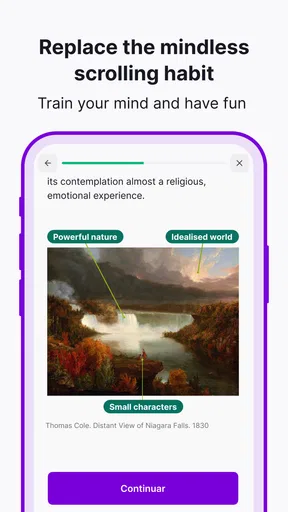
Our Review of Nibble: Daily Learning & Quiz
 Analysis by Appyee
When I want to learn something but don’t have the focus for a long article or a full course, I’m drawn to formats that make curiosity easy to follow. Nibble: Your Bite of Knowledge is an education app built around brief lessons and quizzes, so it suits spare moments better than a planned study session. I find that format appealing, though it works best when I treat it as a prompt to explore rather than a replacement for deeper learning.
First Impressions: A Clean Slate
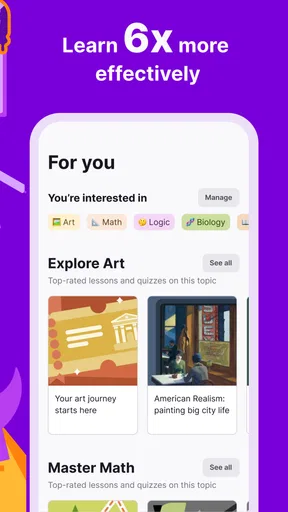
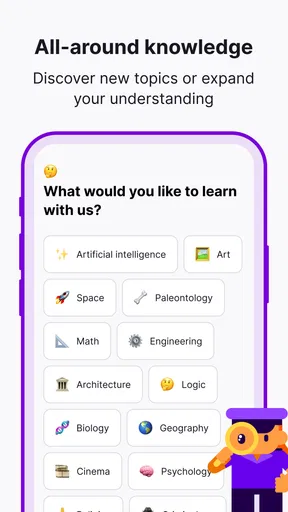
The first thing you notice when you open Nibble: Your Bite of Knowledge is the clean and intuitive interface. It's like walking into a library where everything’s neatly organized, just begging you to explore. The home screen offers a smooth layout, featuring categories like Science, History, Arts, and more. It's pretty much a buffet of knowledge, and you get to pick what tickles your fancy.
Setting up an account is a breeze. You can sign up via email or link it with your social media accounts. Once you're in, the app personalizes your feed based on your interests, making it feel like your own personal pocket scholar. I was pretty impressed by how quickly it started recommending content that was right up my alley.
Learning in Short Sessions
Nibble is made by KREMITAL LIMITED and is free to download, with optional in-app purchases ranging from $6.99 to $89.99 per item. Its education focus and short, interactive format make it easier to fit into a busy day than a conventional online course. The app is rated for Everyone, and its current version is 1.3.9; it requires Android 8.0 or later. It has a 4.2 average rating from around 51,000 ratings, with over 1 million installs. That popularity suggests plenty of people are curious about the format, but it doesn’t guarantee that every topic or lesson will suit your interests.
A useful way to approach a lesson is to decide what you want from it before opening one: a quick introduction, a new idea to discuss, or a topic worth investigating further. That small choice helps me avoid treating a run of short lessons as a substitute for a connected course. Brief explanations can make an unfamiliar subject less intimidating, but they naturally leave less room for context, competing interpretations, or practice.
Diving Deeper: Features and Functionality
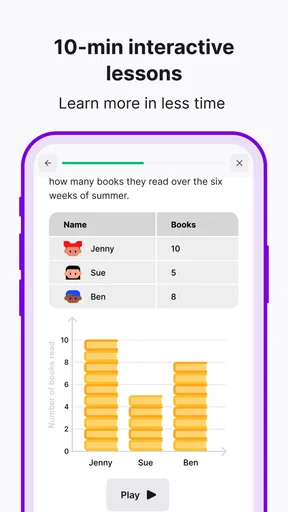
Now, let’s talk about the features that make this app a standout. One of the highlights is its daily "knowledge bites". These are short, engaging articles or summaries that can be consumed in under 5 minutes. Perfect for when you’re waiting in line for your coffee or taking a quick break at work. I found myself actually looking forward to these little nuggets of wisdom each day.
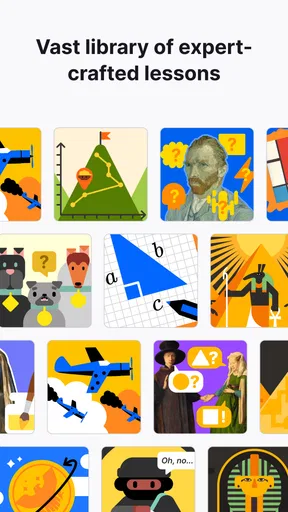
Another cool feature is the "Deep Dive" option. If a particular topic piques your interest, you can delve deeper with more comprehensive articles or even mini-courses. It's a bit like starting with a nibble and moving onto a full course meal. And the best part? You can save articles to read offline, which is a lifesaver for those times when Wi-Fi is spotty.
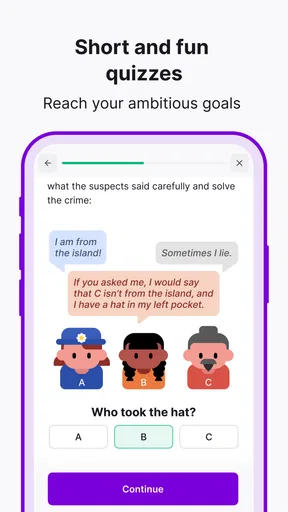
The app also includes interactive quizzes that test your knowledge on various topics. It's both fun and educational, and I found myself getting a bit competitive with the leaderboard feature. It’s a great way to challenge yourself and even your friends.
What Short Lessons Can—and Can’t—Do
The quiz format is most useful to me as a check on attention, not as proof that I have mastered a subject. If I get an answer wrong, I take it as a cue to revisit the explanation or look for a fuller source. That makes the quiz more than a quick score: it gives me a reason to notice which ideas I only skimmed. On the other hand, anyone preparing for an exam or needing detailed, structured instruction will probably be better served by a textbook, a specialist course, or lessons tied to a clear syllabus.
Compared with podcasts, Nibble asks for more active attention because a quiz can make me pause and retrieve what I just read. Compared with social feeds, it gives a more learning-oriented reason to spend a few minutes on the phone. But it is not automatically a better choice than a library book or a long-form course; those alternatives offer more room to build a coherent understanding. I see the app as a convenient starting point, especially when I’m exploring a subject before deciding whether to invest more time.
User Experience: A Seamless Journey
What truly makes Nibble: Your Bite of Knowledge shine is its user-friendly experience. Navigation is seamless, with minimal loading times and a design that’s both aesthetically pleasing and functional. The app’s layout is designed to keep distractions at bay, so you can focus on learning.
Notifications are subtle and not overbearing, reminding you to check out your daily knowledge bites without feeling like you’re being spammed. It’s a gentle nudge rather than a disruptive ping, which I personally appreciated.
When Connectivity Is Part of the Routine
Short lessons fit naturally into mobile life, but network access can shape when I choose to open an app. I’d start a session while I have a reliable connection, especially if I want to browse for a topic or load a lesson without interruption. The article-saving option described above can help when I expect to be offline, but I would check that a specific item is available before relying on it during a commute or a flight. Saving something is more dependable as a plan than assuming every part of the experience will work without a connection.
For a practical routine, I might browse and choose a topic at home, then use a saved article during a train ride and return to connected browsing later. If a lesson stalls, I would first check the connection and reopen the app rather than repeatedly tapping through screens. If a quiz or another online element does not load, I’d move on and return when service is steadier. That approach keeps a small interruption from turning a five-minute learning break into a frustrating troubleshooting session.
People watching mobile data use should also be selective about when they browse and load content. A short reading session is easier to plan than an open-ended scroll, and choosing one topic before opening the app can help keep the session focused. I would use Wi-Fi when convenient for browsing or loading material, then avoid assuming that quizzes, community activity, or every other interactive element will behave the same way with a weak signal. The key trade-off is convenience: the app can make learning easy to start, but a smooth experience still depends in part on the connection available at the moment.
The Social Aspect: Share and Engage
Another aspect that caught my attention is the app’s social feature. You can share interesting articles or quizzes directly with friends or on social media platforms. There’s also a community tab where users discuss and share insights on various topics. It’s a wonderful way to engage with like-minded individuals and broaden your own perspectives.
I’d use sharing most when a lesson gives me a clear conversation starter rather than forwarding everything I read. A single question or surprising idea is easier for a friend to respond to than a constant stream of links. The community side may appeal if you enjoy learning socially, but it is not essential to getting value from the lessons themselves. If you prefer a quiet, private reading routine, you can focus on the learning content without making discussion the point of the app.
Who Will Get the Most from It
I’d recommend Nibble to curious people who like sampling subjects, readers who want a structured alternative to idle scrolling, and anyone who can make use of small gaps in a day. Picture waiting for a takeaway order: instead of opening several social apps, you could pick one topic, read a short lesson, and try its quiz before your name is called. That’s a realistic win for the format—not a transformed study routine, but a more intentional few minutes.
It is less suitable for someone who needs authoritative depth, a carefully sequenced curriculum, or a way to prepare for a specific qualification. The same goes for anyone who dislikes quizzes or wants to learn entirely without network interruptions. In those cases, a book, a dedicated course, or downloaded reference material may be a better fit. I would also keep the optional purchase range in mind: the app is free to download, but people who want to avoid spending should pay attention to in-app purchase prompts and decide their budget before buying anything.
Wrapping It Up: My Final Thoughts
So, is Nibble: Your Bite of Knowledge worth your time? Absolutely. It’s a fantastic app for anyone looking to enrich their minds without the commitment of long reading sessions. The app’s ability to deliver content in bite-sized pieces makes learning feel effortless and enjoyable.
Whether you’re a curious soul or someone looking to kill time productively, this app is a must-try. It’s not just about learning; it’s about cultivating a habit of curiosity and exploration. Go ahead, give it a try, and let me know what you think. Happy nibbling!
My Connectivity Verdict
For me, Nibble’s strongest everyday use is as a flexible learning companion: browse when the connection is good, read a saved piece when that option is available, and use quizzes to check whether an idea stuck. That makes it more engaging than passive browsing, while still less comprehensive than a course built around sustained study. Its brief format, approachable interface, and mix of reading and quizzes are appealing, but the depth of a lesson and the conditions of your connection matter. If you’re happy to use it as a starting point for curiosity rather than a complete education plan, it’s an easy app to work into spare moments.
Verdict
Strengths of Nibble: Daily Learning & Quiz
- Engaging bite-sized content.
- User-friendly interface.
- Frequent content updates.
- Diverse topic coverage.
- Offline access available.
Limitations of Nibble: Daily Learning & Quiz
- Limited free content.
- In-app ads can be intrusive.
- Some topics lack depth.
- Requires account for personalization.
- Occasional app crashes.
Similar Picks in This Category
View All
Duolingo: Language Lessons
Duolingo4.7

Google Classroom
Google LLC2.8

Unacademy: Learn & Crack Exams
Unacademy3.2

Bible App for Kids
Life.Church4.4

Cake - Learn English & Korean
Cake Corp.4.7

Brainly: AI Homework Helper
Brainly4.5
Frequently Asked Questions
What is Nibble: Your Bite of Knowledge?
Nibble is an educational app designed to provide users with quick and engaging insights across various topics. It offers bite-sized content that can be consumed on the go, making it a perfect companion for those looking to learn something new every day without dedicating large amounts of time.
How does Nibble ensure the accuracy of its content?
Nibble collaborates with experts and educators to curate and verify the content provided within the app. Each topic is carefully reviewed for accuracy and relevance, ensuring users receive reliable information. Additionally, the app regularly updates its database to reflect the most current data and knowledge.
Is Nibble suitable for all age groups?
Yes, Nibble is designed for a wide audience, including students, professionals, and lifelong learners. The content is categorized to cater to different age groups and interests, ensuring an enriching experience for everyone. However, parental guidance is recommended for younger users to ensure the content aligns with their learning needs.
Does Nibble require an internet connection to function?
While Nibble offers offline access to some previously viewed content, an internet connection is generally required to explore new topics and receive updates. This ensures users have access to the latest information and features the app has to offer, enhancing the overall learning experience.
Are there any in-app purchases or subscriptions in Nibble?
Nibble offers a freemium model where users can access a wealth of free content. However, for an ad-free experience and access to premium content, users can opt for a subscription. The app provides various subscription plans, making it flexible for users to choose based on their preferences and needs.
